We use cookies to make your experience better.
To comply with the new e-Privacy directive, you agree to the privacy policy and our use of cookies.

Keyboards & Mice

The keyboard is the main input peripheral used by all computers. The keyboard allows for user input and interaction with the computer. Much like many typewriters the keyboard has all the letters of the alphabet, numbers 0 - 9 and additional special operational keys, e.g. for adjusting the volume or going to your inbox directly. There are three different connection types: - USB is the most modern. You can recognize it by the rectangular connector. - PS/2 connectors are round. This type of connection is fairly commonly used by PC's. - Bluetooth is another modern (wireless) connection method.
Shop By
-
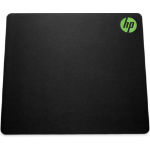
HP Pavilion Gaming Mouse Pad 300
Pavilion Gaming Mouse Pad 300 -
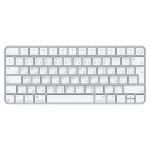
Apple Magic Keyboard with Touch ID for Mac models with silicon (USB–C) - Arabic
Magic Keyboard with Touch ID for Mac models with Apple silicon (USB–C) - Arabic -
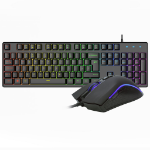
VIDA REBEL 2IN1 BLACK USB DESK KIT keyboard Mouse included Gaming QWERTY UK English
Vida Rebel 2 in1 USB Gaming Keyboard and mouse kit Black -
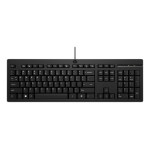
HP 125 Wired Keyboard
125 Wired Keyboard -
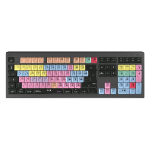
Logickeyboard ASTRA 2 keyboard USB QWERTY English Black
Dimmable light, USB 3.0, 1.8 m, 446 x 150 x 30 mm, 950 g -
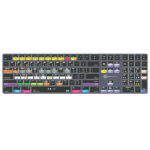
Logickeyboard LKB-ABLT-TM-UK keyboard Home USB + Bluetooth QWERTY English Grey
Ableton Live TITAN Wireless Backlit Keyboard - Mac US English -
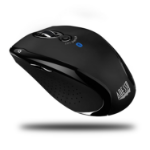
Adesso iMouse S200B mouse Office Ambidextrous Bluetooth Optical 2000 DPI
Adesso Bluetooth Ergo Mini Mouse, 2000DPI, optical, 9.1m, black -
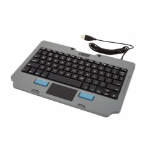
Gamber-Johnson 7160-1449-00 mobile device keyboard QWERTY US English USB Black, Grey
76 Keys QWERTY, USB, 261.8x180.8x17.2mm, 450g, Black/Grey -
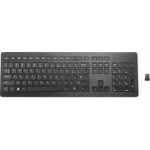
HP Wireless Premium Keyboard
Wireless Premium Keyboard