We use cookies to make your experience better.
To comply with the new e-Privacy directive, you agree to the privacy policy and our use of cookies.
Keyboards & Mice

The keyboard is the main input peripheral used by all computers. The keyboard allows for user input and interaction with the computer. Much like many typewriters the keyboard has all the letters of the alphabet, numbers 0 - 9 and additional special operational keys, e.g. for adjusting the volume or going to your inbox directly. There are three different connection types: - USB is the most modern. You can recognize it by the rectangular connector. - PS/2 connectors are round. This type of connection is fairly commonly used by PC's. - Bluetooth is another modern (wireless) connection method.
Shop By
-
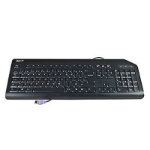
Acer KB.PS203.300 keyboard PS/2 QWERTY Dutch Black
Keyboard CHICONY KB-0759 PS/2 Standard 105KS Black Dutch w/o eKey -
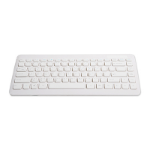
Acer KB.RF403.109 keyboard RF Wireless QWERTY Italian White
Keyboard CHICONY KG-0917 RF2.4 105KS White Italian -
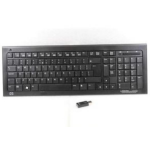
HP 579710-241 keyboard RF Wireless QWERTY Polish Black
Keyboard (Polish), Wireless, Black -
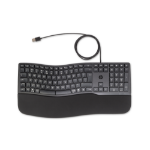
HP 480 Comfort Wired Keyboard
480 Comfort Wired Keyboard -
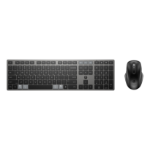
HP 720 Multi-Device Rechargeable Wireless Keyboard and Mouse Combo
720 Multi-Device Rechargeable Wireless Keyboard and Mouse Combo -
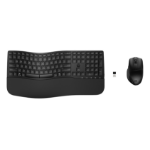
HP 680 Comfort Dual-Mode Keyboard and Mouse Combo
680 Comfort Dual-Mode Keyboard and Mouse Combo -
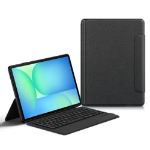
JLC Samsung Tab S10 FE Plus 13.1 E14 Keyboard Case with Track Pad
Samsung Tab S10 FE Plus 13.1 JLC E14 Keyboard Case with Track Pad -
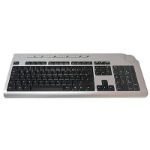
Acer KB.RF403.148 keyboard RF Wireless AZERTY French Black, Silver
Keyboard CHICONY KG-0766 RF2.4 Standard 105KS Black French with new silver color -
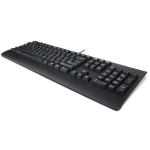
Lenovo Preferred Pro II keyboard Universal French Black
Preferred Pro II, USB, French -
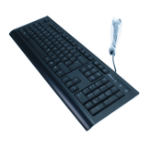
MediaRange MROS101 keyboard USB QWERTZ German Black
MediaRange Standard keyboard, wired, QWERTZ, black