We use cookies to make your experience better.
To comply with the new e-Privacy directive, you agree to the privacy policy and our use of cookies.

Monitor Mounts & Stands

A comfortable, ergonomic computer workstation requires an adjustable computer monitor arm or monitor stand. We offer monitor arms and stands for any budget that help make your computer work easier, pain free and more productive. Main ergonomic recommendations for monitor use include moving your monitor to a comfortable distance of around an arm's length and position the monitor at a comfortable height of about 2"-3" above eye level. Choose one of our many stylish monitor arms and stands and free up valuable desktop space.
Shop By
-
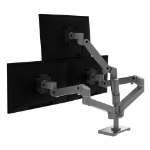
Ergotron 98-745-293 monitor mount / stand Desk Dark Grey
LX Pro Dual Side-by-Side Collar (dark grey) -
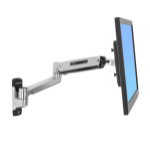
Ergotron LX Sit-Stand Wall Mount LCD Arm 106.7 cm (42") Stainless steel
LX Sit-Stand Wall Arm, Capacity 7–25 lbs / 3.2–11.3 kg -
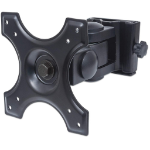
Manhattan Wall Mount for TV & Monitors (Tilt and Swivel 2 pivots), For screens 13" to 27", VESA compatability: 75x75mm and 100x100mm - check the dimensions of the four mounting holes on back of screen to ensure it fits, Max 12kg, Black, Bracket
Wall Mount for TV & Monitors (Tilt and Swivel 2 pivots), For screens 13" to 27", VESA compatability: 75x75mm and 100x100mm - check the dimensions of the four mounting holes on back of screen to ensure it fits, Max 12kg, Black, Bracket -
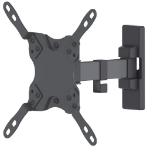
Manhattan Wall Mount for TV & Monitors (Tilt and Swivel 2 pivots), For screens 13" to 42", VESA compatability: all between 75x75mm and 200x200mm - check the dimensions of the four mounting holes on back of screen to ensure it fits, Max 20kg, Bracket
Wall Mount for TV & Monitors (Tilt and Swivel 2 pivots), For screens 13" to 42", VESA compatability: all between 75x75mm and 200x200mm - check the dimensions of the four mounting holes on back of screen to ensure it fits, Max 20kg, Bracket -
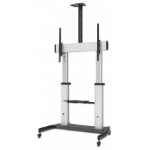
Manhattan Trolley Mount Stand for TV & Monitors, For screens: 60" to 100",VESA compatability:all between 200x200 to 800x600mm -check the dimensions of the four mounting holes on back of screen to ensure it fits,Max 100kg,Height adjustable 1200 to 1685mm,L
Trolley Mount Stand for TV & Monitors, For screens: 60" to 100",VESA compatability:all between 200x200 to 800x600mm -check the dimensions of the four mounting holes on back of screen to ensure it fits,Max 100kg,Height adjustable 1200 to 1685mm,LFD,Bracket -

Ergotron LX Pro Series 45-708-290 monitor mount / stand 86.4 cm (34") Desk White
LX Pro Desk Monitor Arm, Grommet Mount (white) -
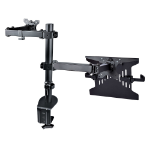
StarTech.com Monitor Arm with VESA Laptop Tray, For a Laptop (4.5kg/9.9lb) and a Single Display up to 32" (8kg/17.6lb), Black, Vented Tray, Adjustable Laptop Arm Mount, C-clamp/Grommet Mount
StarTech.com Monitor Arm with VESA Laptop Tray, For a Laptop (4.5kg/9.9lb) and a Single Display up to 32" (8kg/17.6lb), Black, Adjustable Laptop Arm Mount, C-clamp/Grommet Mount (A2-LAPTOP-DESK-MOUNT) -
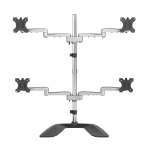
StarTech.com Desktop Quad Monitor Stand - Ergonomic VESA 4 Monitor Arm (2x2) up to 32" - Free Standing Articulating Universal Pole Mount - Height Adjustable/Tilt/Swivel/Rotate - Silver
StarTech.com Desktop Quad Monitor Stand - Ergonomic VESA 4 Monitor Arm (2x2) up to 32" - Free Standing Articulating Universal Pole Mount - Height Adjustable/Tilt/Swivel/Rotate - Silver (ARMQUADSS) -
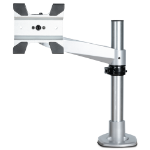
StarTech.com Desk Mount Monitor Arm - VESA or Apple iMac/Thunderbolt or Ultrawide Display up to 14kg - Articulating Height Adjustable Single Desktop Monitor Pole Mount - Clamp/Grommet
StarTech.com Desk Mount Monitor Arm - VESA or Apple iMac/Thunderbolt Display up to 14kg - Articulating Height Adjustable Single Desktop Monitor Pole Mount - Clamp/Grommet - Silver (ARMPIVOTB2) -
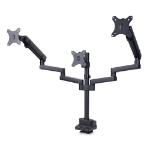
StarTech.com Triple Monitor Desk Mount For Up To Three 27in Screens, VESA 75x75/100x100, Tool-Less Arm Adjustments, C-Clamp/Grommet Mount, Spring-Assisted Arms
StarTech.com Triple Monitor Desk Mount For Up To Three 27in Screens, VESA 75x75/100x100, Tool-Less Arm Adjustments